

Website Change Detection: Catch Defacement Before Your Visitors Do
How website change detection works (rendered DOM vs raw HTML, tuning out dynamic noise) and how to catch defacement before your visitors do.
The CompleteStatus Team 6 min read

Want this checked continuously?
CompleteStatus grades your headers, SSL and email security 24/7 — free, commercial use allowed.
Uptime monitoring answers "is the site responding?", but a defaced homepage, an injected spam link, or a silently mangled pricing page all return a perfectly healthy 200 OK. Website change detection covers the blind spot: it fetches a page on a schedule, compares it to the last known-good version, and alerts you when the content itself changes in a way you didn't ship. It's the difference between finding out about a compromise from your monitoring at 2 a.m. and finding out from a customer's screenshot at 9.
What change detection is actually for
Defacement and injected content
The classic case. Defacement (an attacker replacing your page with their own) is loud and obvious to visitors, but invisible to an uptime check: status 200, fast response, wrong everything. The subtler and far more common variant is injection: a compromised plugin quietly adds hidden spam links, a crypto-drainer script, or a mobile-only redirect while the page still looks normal to you. Injected content is exactly what eventually gets a site flagged by Google Safe Browsing, and change detection is the alarm that fires before the interstitial does, while cleanup is still a private matter. A useful pairing: watch your most-trafficked pages and your most-forgotten ones, because attackers favor pages nobody reviews.
Unauthorized changes from the inside
Not every unwanted change is an attack. A CMS auto-update rewrites a template. A marketing tool "optimizes" a landing page. A teammate edits production directly. A deploy meant for staging lands on live. Change detection on key pages works as a tripwire for your own change-management process: if the homepage changed and no deploy happened, someone has questions to answer.
Compliance and must-exist text
Some text on your site matters in the legal sense: privacy policies, terms of service, cookie notices, regulatory disclosures, required imprint pages. If a redesign or CMS migration silently drops the disclosure paragraph, nobody notices until an auditor or regulator does. A keyword-presence check ("this exact clause must appear on this URL") turns that risk into an alert.
Watching pages you don't own
Change detection also points outward: competitor pricing pages, a supplier's terms, a dependency's changelog, a government tender board. Two rules if you do this: respect robots.txt and the site's terms of service, and keep check intervals polite. You want a diff a few times a day, not a crawler that looks like abuse. Monitoring a public page at a modest frequency for changes is a long-established practice; hammering it isn't.
How diffing actually works: rendered DOM vs raw HTML
Naive change detection (hash the response body, alert when the hash changes) fails within the hour on any real website, because almost every response differs somewhere: a CSRF token, a timestamp, an asset fingerprint. Useful systems make two smarter choices.
What to fetch. There are two candidate representations of a page:
- Raw HTML: the exact bytes the server returns. Cheap and fast to fetch, and the right target for detecting server-side injections, SEO spam and template changes. Its blind spot is JavaScript: on a client-rendered app, the raw HTML is a near-empty shell, and a malicious script's effects never appear in it.
- Rendered DOM: the page after a real browser engine executes the JavaScript, i.e. what a visitor actually sees. This is the representation that catches client-side injection, script-driven defacement and rendering breakage, at the cost of running a headless browser per check.
They detect different attacks, and mature setups use raw HTML checks broadly (cheap, frequent) with rendered checks on the pages where JavaScript does the talking.
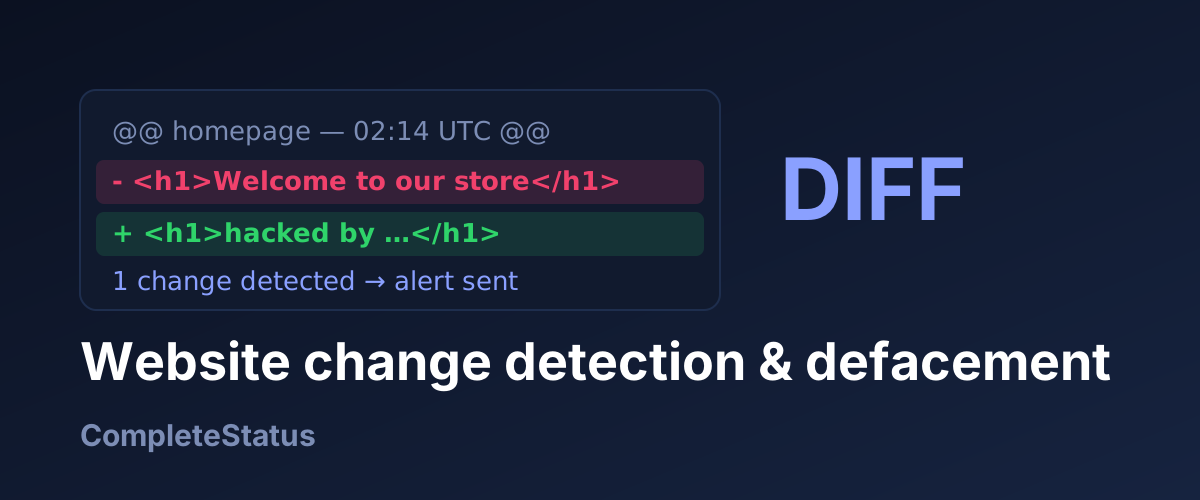
What to compare. Rather than hashing whole bodies, good systems compare structured extractions: the text content of the page or a CSS-selected region, normalized (whitespace collapsed, volatile attributes stripped), then diffed line-by-line the way git diff treats code. That gives you an alert that shows what changed (- Contact us at… / + Cheap pharmacy online…), which is the difference between an actionable alert and a "something is different, good luck" ping.
Tuning out the noise
The usual failure of change detection isn't missing changes; it's alerting on everything until you stop reading the alerts. The tuning toolkit:
- Select a region, not the page. Point the check at a CSS selector (
main,#pricing-table) and ignore headers, footers, and sidebars full of "latest posts." - Ignore the reliably dynamic. Exclude selectors for ad slots, session tokens, cart counters, "3 people are viewing this," and rotating testimonials. Compare text content rather than full markup so attribute churn (nonces, hashed class names) doesn't trigger.
- Normalize before diffing. Collapse whitespace, strip query-string cache-busters, sort attributes. The goal is that two fetches of an unchanged page produce identical extractions.
- Set a change threshold where appropriate. For inherently lively pages, alert on changes above a percentage, or on specific keywords appearing/disappearing ("viagra", "hacked by", or the absence of your compliance clause), rather than any diff.
- Expect a tuning week. The first few days surface every dynamic element you forgot the page had. Treat each false positive as a rule to add, and the check settles into silence, which is what makes the eventual real alert believable.
The alerting workflow
A change alert is only useful if it arrives with evidence and lands somewhere with a response path:
- Keep the diff one click from the alert, so whoever's on call can triage from their phone.
- Route by page criticality. Homepage or checkout diff → the channel that pages a human. Competitor pricing diff → a quiet Slack channel someone reads weekly.
- Triage: expected or not? Cross-check against deploys and CMS activity. Expected → acknowledge, new baseline. Unexpected → treat as a potential incident.
- If it smells like compromise, escalate immediately: snapshot the page, check for injected scripts elsewhere, and follow the cleanup-before-review playbook. Minutes matter: the gap between injection and blacklisting is your grace period.
- Know how your tool baselines. Many tools, ours included, adopt the changed page as the new reference automatically. That keeps legitimate edits from alerting forever, but it means a change you dismiss is gone from the comparison, so review each diff before you move on. For text that must never appear (or must never disappear), add a keyword check as well; it doesn't re-baseline.
One tripwire in a bigger net
Change detection is one layer: it tells you the content changed, while uptime monitoring tells you the site died, DNS monitoring tells you the name was tampered with, and header grading tells you the door was open in the first place. CompleteStatus runs all of them in one dashboard: content change monitors with CSS-selector scoping, ignore patterns, optional JavaScript rendering and a stored diff (plus a screenshot in visual mode) for every change, keyword checks for text that must or must not appear, and uptime, SSL, DNS, domain-expiry, Safe Browsing reputation and security-header monitoring alongside. A defacement, its cause and its blast radius end up in one tool instead of five. Get your baseline with the free security score checker, then start monitoring free: ten monitors on the free tier, commercial use allowed.
Written with AI assistance and reviewed by the CompleteStatus team.
Get notified when CompleteStatus opens
New accounts are closed while we're in private beta. Leave your email and we'll send one message the moment sign-ups open — nothing else.